> For the complete documentation index, see [llms.txt](https://docs.aftermath.finance/llms.txt). Markdown versions of documentation pages are available by appending `.md` to page URLs; this page is available as [Markdown](https://docs.aftermath.finance/farms/tutorials/claiming-rewards.md).
# Claiming Rewards
Once you have staked into an Afterburner Vault, you will be able to monitor the status of your position and perform various actions. If you are staked into multiple Farms, you can navigate to the Porfolio tab, select the Farms tab, and easily view all of your Farming positions and go to their respective page. See the [Viewing your Portfolio: Farms](/getting-started/navigating-aftermath/viewing-your-portfolio.md) section of the documents for more information.
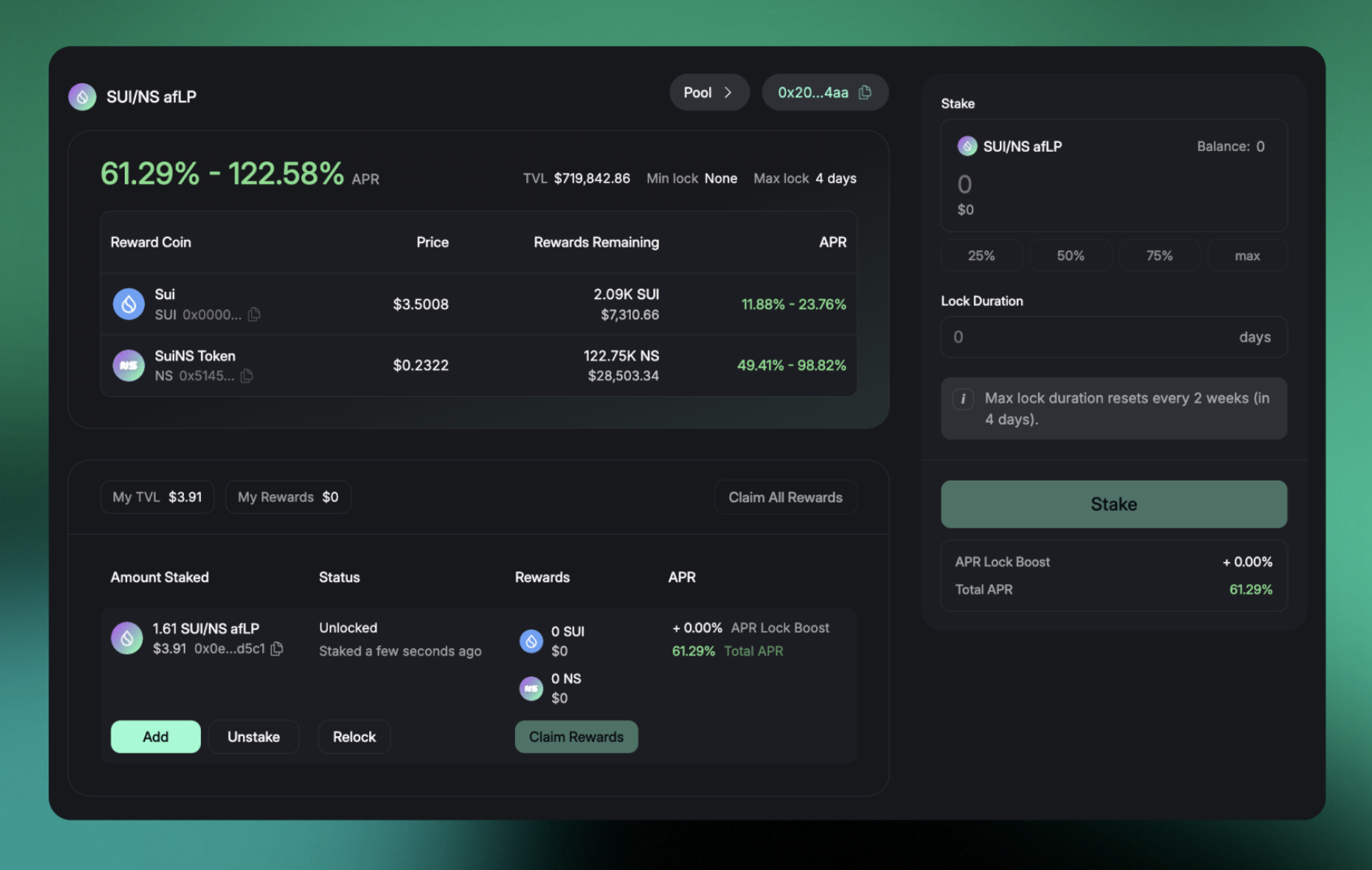
Farm with an active staking position
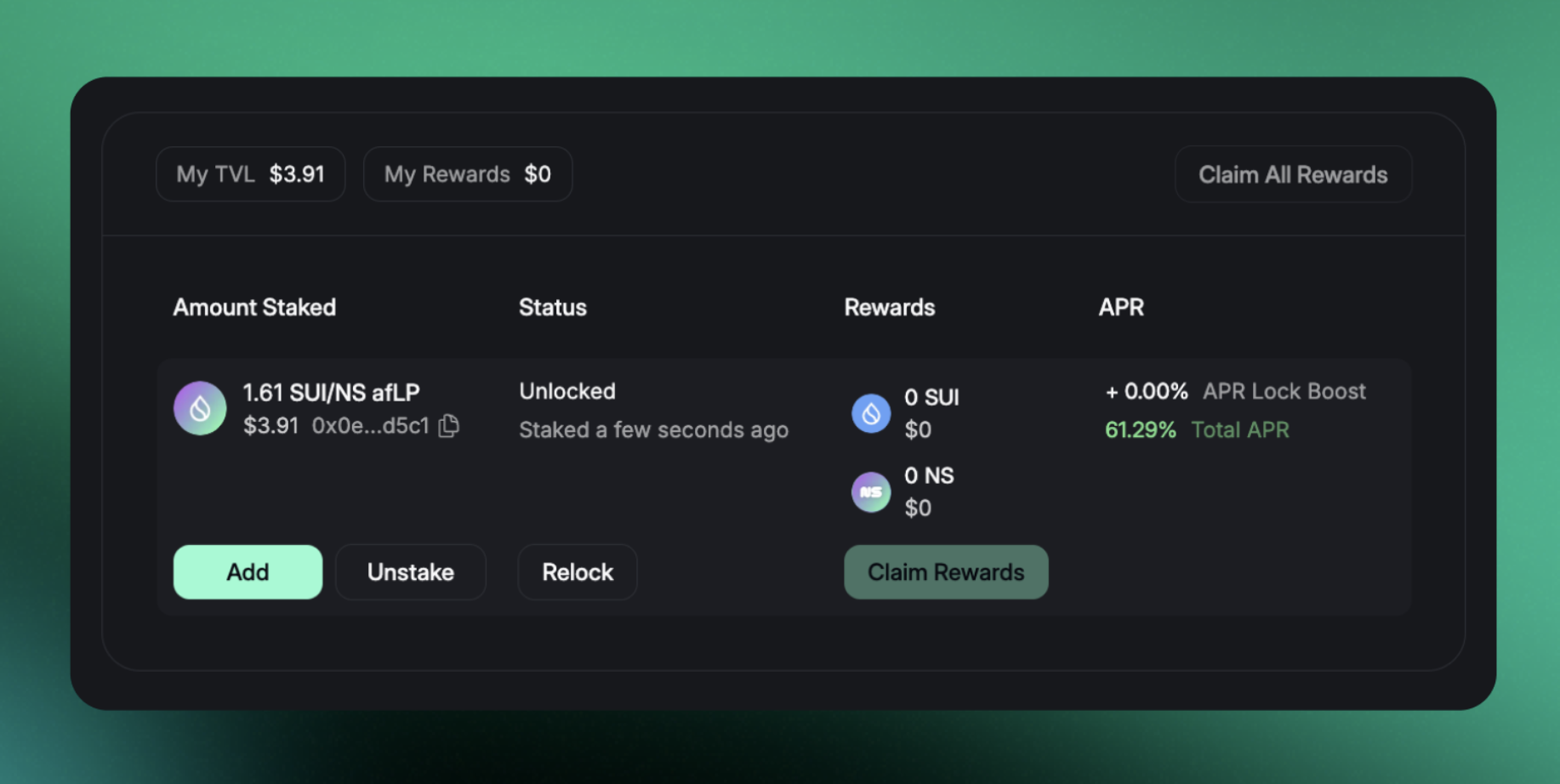
Once you have navigated to the page of the Afterburner Vault you are staked into, you will see several actions you can take. These are **Add**, **Unstake**, **Relock**, and **Claim Rewards**.
Add, Unstake, Relock, and Claim Rewards
**Add** allows you to increase the amount of LP tokens you have committed to the Farm. If you choose this option, you will be able to review the changes this will make to your position prior to committing to performing the action.
Add to Position
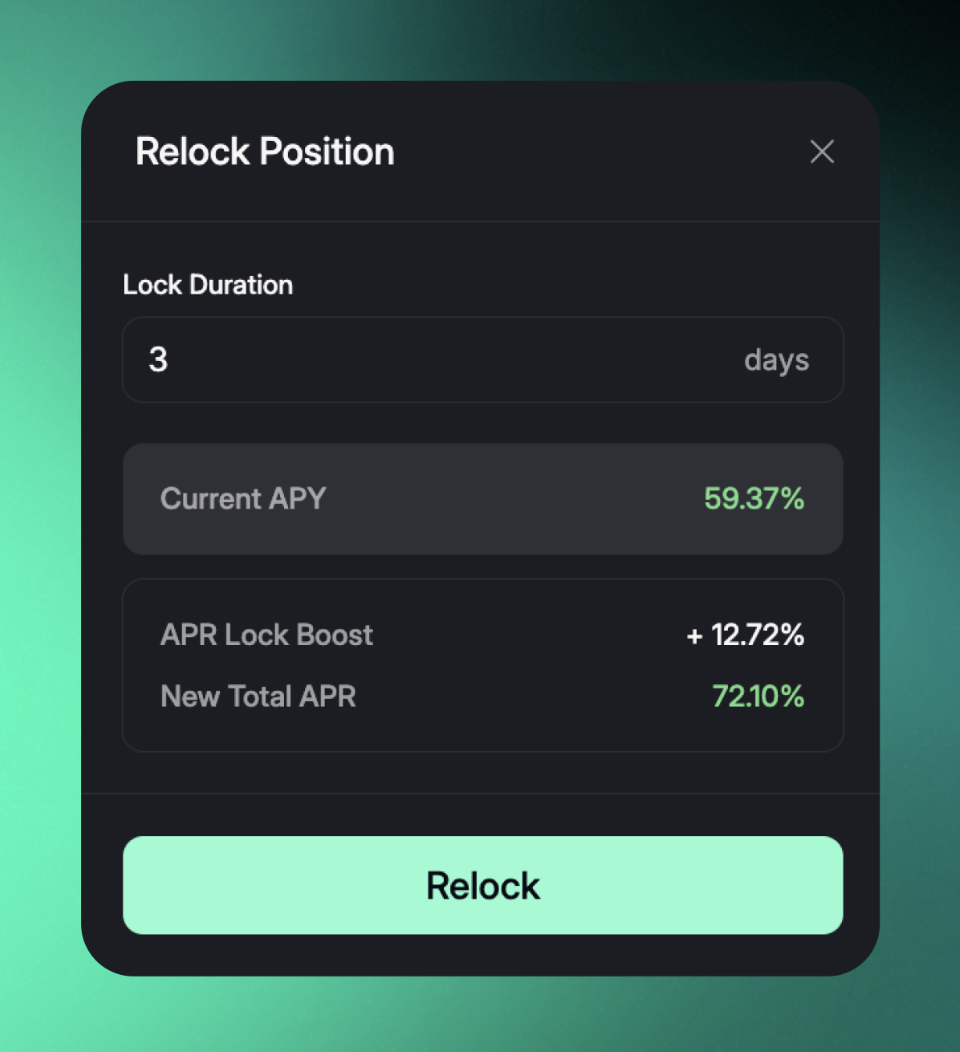
**Relock** allows you to earn additional rewards by committing the LP tokens you have previously staked for a longer duration of time. If you select this option, you will be able to review the changes to your staking position prior to executing the transaction, including view your new APR Lock Boost and New Total APR.
**Claim Rewards** allows you to receive all rewards that have vested in your wallet. They are then immediately available to you to do whatever you wish with them.
At any given point in time, your farming position displays accurate rewards accrued for that given moment. However, until the rewards are realized it should be assumed as an estimate for accrued rewards. This means the more often you claim rewards the more accurately your claimed rewards will match what is displayed.
Our vaults utilize the ownership semantics inherent to Sui. When you stake assets, such as our afSUI/SUI LP, into one of our vaults, you create a position that wraps the coin you've staked. Our vaults are unable to interact with your StakedPosition - as they are owned by you and only you - including distributing rewards to your position. Thus your position's rewards are only updated on-chain after you sign a transaction to interact with your position. We've set this up so any action you can perform will also update your position's accrued rewards, and not just the act of claiming rewards.
As the owner of this position, you are the only one who can invoke transactions that interact with it. All of this to say that the vault does absolutely nothing with the funds that you stake because it can't access them to begin with.
And that's it! Feel free to reach out to the Aftermath team on [Discord](https://discord.com/invite/VFqMUqKHF3) if you have any questions and we will be happy to help.